
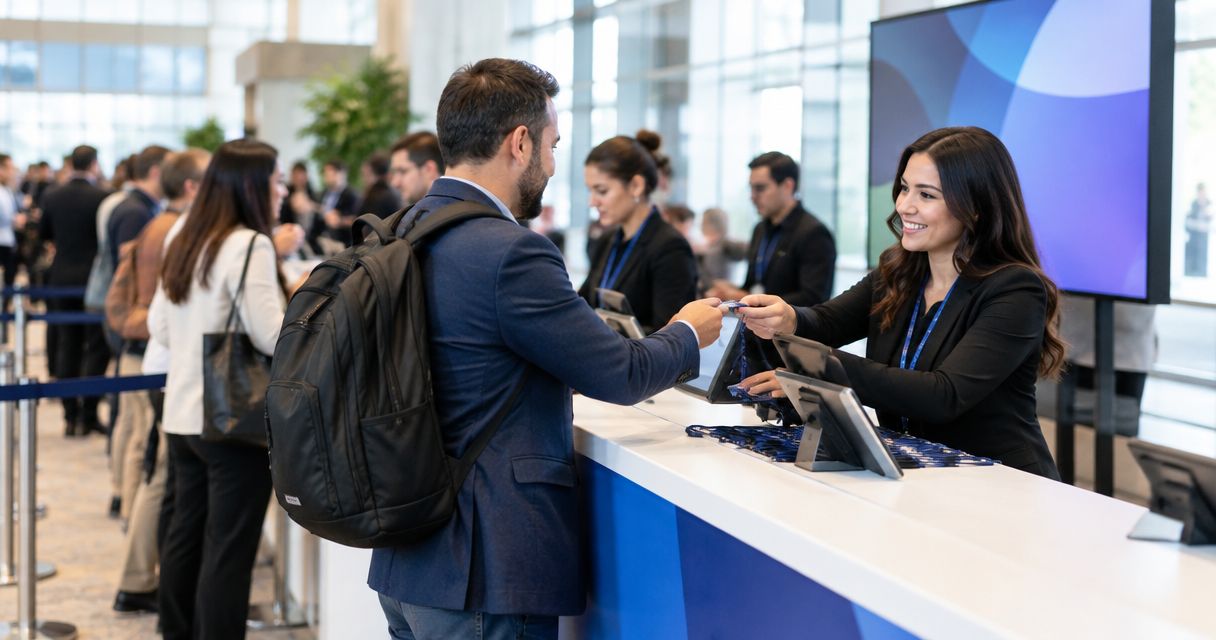
Build a 500-person trade show check-in budget from the work your entrance must perform: registration preparation, attendee lookup, badges, staffing, equipment and support. Use supplier quotes and your organization's approved staff rates, then separate the total payable from the work your own team will provide. Attendance establishes the planning scale; it does not establish a universal software package or staffing requirement.
TL;DR
Build your 500-person trade show check-in budget around an arrival plan, not a software quote alone.
Separate supplier payments from organizer-provided staff time and equipment.
Count attendee badges separately from exhibitor, speaker and staff credentials.
For a Gathersmith evaluation, define the registration and operations workflow before discussing configuration.
Why this matters
A check-in quote can leave important work with the organizer without making that responsibility obvious. Someone still needs to approve the attendee records, prepare the entrance team and decide what happens when a person cannot be found.
Budget the workflow and assign its owners together. That gives you a useful approval document for your 2026 event rather than a software line item followed by last-minute operational decisions.
How do you budget for check-in at a 500-person trade show?
Start with a scope sheet, turn each required task into a budget line, and record the supplier or team responsible. Keep quantities, billing units and exclusions beside each line so a revised proposal is understandable.
| Budget line | Quantity or scope to record | Who must confirm it |
|---|---|---|
| Registration and check-in software | Event dates, required workflows and billable record definition | Platform supplier and event lead |
| Preparation | Record review, form configuration, badge information and rehearsal tasks | Registration owner |
| Entrance staffing | Approved roles and working hours, including preparation and closeout | Operations lead |
| Equipment | Devices, accessories, power, transport and replacement arrangements | Equipment owner |
| Physical badges | Initial credentials, corrections, replacements and production method | Badge owner |
| Venue connectivity | Required connection, testing arrangements and documented fallback | Venue contact and technical owner |
| Support | Coverage hours, contact route and problems covered | Supplier and event lead |
| Closeout | Equipment returns, reporting and agreed data-handling tasks | Assigned team owners |
Mark each item supplier-provided, organizer-provided, included elsewhere, or not required. A line marked included elsewhere should identify the relevant budget, not disappear from the operating plan.
For 2026 purchasing, compare both the invoice total and the remaining organizer workload. A proposal that delegates fewer tasks is not automatically less suitable; you need to know which duties your team is accepting.
Turn the scope into a fill-in budget worksheet
Use a worksheet with separate columns for quantities, billing units, quoted rates, line totals and ownership. Copy the units exactly as the supplier defines them. An event license, an attendee record and a device rental are different billing units.
| Worksheet field | What you enter | Check before approval |
|---|---|---|
| Item and owner | Named task and accountable role | No unassigned operational work |
| Billing basis | Event, record, device, day or hour, as quoted | No mixing of unlike units |
| Quantity | Required units under the agreed scope | Attendance and working assumptions documented |
| Rate | Current written quote or approved internal rate | Same scope and applicable period |
| Line total | Quantity multiplied by the applicable rate | Package inclusions not counted again |
| Charges and adjustments | Applicable taxes, transport and contractual charges | Included only where required |
| Status | Confirmed, awaiting quote or organizer-provided | Unquoted requirements remain visible |
Total supplier payments = the sum of confirmed supplier line totals plus applicable charges. Keep unquoted items marked unquoted rather than entering zero: zero looks like a confirmed absence of expense.
Track internal staff time separately using your approved budgeting method. If your finance team includes that time in the event's full operating budget, report both figures with clear labels. Do not add an internal allocation to the supplier invoice and call the result an amount payable.
Use the attendance figure correctly
If every attendee receives an individual record, the starting requirement is 500 attendee records. If every attendee receives a physical badge, the starting requirement is 500 initial attendee badges. These are planning quantities, not statements about a supplier's capacity or billing terms.
Add speaker, exhibitor and staff credentials only when those people are outside the attendee count. Ask the registration owner to identify overlaps before ordering materials. Someone who is both a speaker and an attendee should not automatically become an extra billable person.
Calculate allocated supplier expense per attendee by dividing confirmed supplier payments by 500 attendees. Label it an allocation, not a supplier rate. It describes this approved scope and does not predict the bill for a different event size.
Choose the arrival workflow before ordering equipment
Decide how attendees move through the entrance, then identify what that process requires. Do not begin with a device count borrowed from another event or assume a printer is necessary because badges are involved.
| Workflow | Useful when | Responsibility to resolve |
|---|---|---|
| Prepared badge collection | Attendee information is ready before production | Organize collection and handle corrections |
| On-demand badge production | The plan requires badges to be produced during arrival | Assign equipment, materials and exception support |
| Staff-assisted digital check-in | Staff need to help identify and admit attendees | Define device access and admission authority |
A physical badge process can sit alongside staff-assisted check-in. Document the combined path so you do not count overlapping tasks twice.
Ask the operations lead to describe arrival from the attendee's perspective. Where do people queue, what information do they present, and where do they go if something is wrong? That description becomes the basis for your station layout and staffing brief.
For a Gathersmith evaluation, bring your arrival workflow and team responsibilities. Gathersmith is a ready-to-use event registration and operations platform. Discuss how its available tools fit your event rather than commissioning a bespoke application.
Why check-in budgets vary between events
The operating specification explains differences that attendance alone cannot. Use these factors to challenge scope, not to justify buying a larger package by default.
Arrival concentration. Tell suppliers when attendees are expected and which opening activities affect the entrance. Total attendance is not an arrival schedule.
Admission rules. Define visitor, exhibitor, speaker and staff eligibility. Name the role that can approve an exception.
Badge preparation. Decide when records are approved for production and how corrections are authorized. Separate materials from equipment responsibility.
Walk-in policy. Document whether new registrations are accepted at the entrance, what information is required and who grants admission.
Venue dependencies. Confirm access times, station placement, power and connectivity with the venue contact. Put unresolved dependencies in the plan.
Support coverage. Distinguish software questions from device, printer, network and attendee-record problems. Assign each to an owner.
A software supplier is not automatically the owner of venue networking or admission decisions. Confirm the boundary explicitly in your 2026 scope sheet so the entrance team knows where to seek help.
Put the budget through an operational rehearsal
A rehearsal tests whether the purchased scope and assigned duties cover the real entrance process. Use the event's intended equipment and representative records with appropriate data-handling precautions.
Define arrivals
Confirm which groups use the entrance and which records they need. Review the opening schedule with the event lead rather than assuming everyone arrives evenly throughout the day.
Identify attendee categories and possible overlaps.
Describe the expected arrival pattern.
Assign an owner for the entrance layout.
Map exceptions
Test a missing record, a name correction and an admission question. These are rehearsal scenarios, not claims that a particular error rate is expected at your event.
Name the person authorized to change a record.
Identify who can decide disputed admission.
Give staff a clear route for unresolved cases.
Assign equipment
Record which party supplies, configures and returns each item. Include accessories and transport where the chosen workflow requires them; do not assume the device owner handles every related task.
Confirm delivery and setup responsibilities.
Test badge readability and the chosen arrival path.
Document the response to equipment trouble.
Rehearse check-in
Walk from arrival through lookup, admission and badge handover where applicable. Assess the full interaction rather than treating a successful scan as proof that the entire entrance is ready.
Include staff handoffs and escalation.
Record the steps that need clarification.
Retest changed instructions before approving readiness.
Approve ownership
Finish by assigning preparation, event-day and closeout duties. Give each role the information needed to perform its tasks, and keep the approval route for admission decisions clear.
Confirm support contacts and coverage.
Attach responsibilities to the accepted scope.
Record outstanding tasks before signing off.
Compare proposals without counting the same work twice
Before comparing totals, put every proposal against the same scope sheet. Mark any difference in badge method, working hours, support coverage or organizer responsibilities. Ask for clarification where the proposal leaves an item blank.
Common double-counting checks include:
Included setup: do not add a separate preparation charge for work already included in a package.
Existing equipment: show organizer-provided devices as a responsibility; use your finance team's allocation method if needed.
Overlapping credentials: reconcile attendee, speaker and exhibitor lists before adding their quantities.
Staff coverage: distinguish scheduled shifts from training, setup and closeout duties.
Badge supplies: confirm whether materials are bundled with production or quoted separately.
For your 2026 approval, retain the written assumptions alongside the accepted proposal. If requirements change, update both documents. An unexplained total does not tell you whether a change came from rates, quantities or scope.
When discussing Gathersmith event registration and operations, ask which requirements match available tools and which need a separate operational process. Do not treat an evaluation conversation as a promise of hardware provision, on-site staffing or a particular integration.
Does a 500-person trade show require on-site badge printing?
A 500-person trade show does not create an on-site printing requirement by itself. Choose the production method around data readiness, corrections and walk-ins, then assign the equipment and staffing responsibilities that method needs.
How many check-in staff should you budget for?
For 500 attendees, derive the staffing plan from arrival patterns, assigned tasks and rehearsal results. Ask the operations lead to explain each proposed role and coverage period rather than relying on attendance alone.
Is a software quote the complete entrance budget?
For a 500-person trade show, a software quote is the complete entrance budget only if it includes every required operational item. Confirm preparation, staffing, materials, equipment, connectivity, support and closeout before treating the quoted total as complete.
FAQ
How do I start a check-in budget for a 500-person trade show?
Start with the arrival workflow, then list software, preparation, staffing, equipment, badges, connectivity, support and closeout. Obtain current quotes and assign the work your team will provide.
Should I divide the software quote by 500 attendees?
Divide the complete confirmed supplier total by 500 attendees only when you want a planning allocation. A software-only figure excludes any separately required entrance work.
How do I avoid counting speaker badges twice?
Reconcile speaker, exhibitor, staff and attendee groups before adding badge quantities. Identify people who already belong to the attendee count and apply the event's credential policy.
Should an unquoted budget item be entered as zero?
Keep an unquoted item marked unquoted. Entering zero hides the unresolved requirement and makes the budget look more complete than it is.
What should a badge printing rehearsal include?
Test the full arrival path, including record lookup, corrections, admission decisions and badge handover. Assign responsibility for any unresolved equipment or record problem.
Does choosing event software include on-site staffing?
On-site staffing is included only when the agreed service scope says so. Confirm staff duties and coverage separately rather than assuming software provision includes entrance operations.
What should I bring to a Gathersmith evaluation?
Bring your registration and operations workflow, attendee categories, badge requirements and team responsibilities. Confirm requirements against available platform tools rather than assuming custom development or unverified integrations.
One last thing
The last budget check is an ownership check. Pick an attendee who needs help, then ask the team to explain who checks the record, who authorizes the outcome and who updates the information.
If that route is unclear, adding software or equipment does not resolve the missing decision. Assign the responsibility, rehearse the handoff and check whether the approved scope covers the work before committing your 2026 check-in budget.
Explore this topic
Attendee check-in tools — Connect your arrival plan to attendee lookup and check-in.
Badge printing and event services — Explore support options for your entrance workflow.
Registration budget calculator — Compare registration costs alongside your operating budget.
Trade show planning — Bring exhibitors, sponsors and entrance operations together.