













Features

Event management software for every part of your conference or expo.

Connect registration, ticket payments, schedules, speakers, sponsors and exhibitors in one workspace. Explore 56 capabilities that help your team plan confidently and run a connected event.

Conference participants exchange ideas beside an exhibitor booth

01 · Plan and own the work

Event planning and team operations

Know what is late, what is next and who owns it, without chasing updates across spreadsheets and chat threads.

An event planning team gathers around a table of notes and a printed program while a colleague maps the schedule on a whiteboard
  • Readiness: Available now

    Operations overview with action flags

    A per-event overview surfaces items that need attention, such as overdue tasks, unreviewed registrations or partner benefits still outstanding, so the team starts each day from the same list.

  • Readiness: Available now

    Tasks with clear ownership

    Assign tasks to people, set due dates and track status. Each team member can see their own responsibilities in one place.

  • Readiness: Available now

    Team positions and role templates

    Define event team positions such as registration lead or floor manager, and reuse job role templates so each new event starts with the same structure.

  • Readiness: Available now

    Draft events

    Build an event privately as a draft. Nothing is listed publicly until you choose to publish it.

  • Readiness: Available now

    Draft-first event cloning

    Copy a past event's structure into a new draft, then review and adjust dates, tickets and details before anything goes live.

Compare editions for these tools

02 · Welcome attendees

Registration, tickets and check-in

Control who can register, for what, and when, then see who is expected and record arrivals on the day.

An event host welcomes a participant at a registration desk
  • Readiness: Available now

    Ticket types with sale windows

    Each ticket type has its own sale start and end, so early, standard and on-site options open and close on schedule.

  • Readiness: Available now

    Event currency, prices and included features

    Set the event currency, list a price per ticket and describe what each ticket includes so attendees can compare options.

  • Readiness: Available now

    Registration questions

    Add your own questions to the registration form and keep the answers on each attendee record.

  • Readiness: Available now

    Eligibility and review statuses

    Restrict tickets to eligible groups and keep submitted, pending and confirmed registrations distinct. A price or payment request is not treated as paid admission.

  • Readiness: Available now

    Attendee privacy choices

    Attendees choose what they share, such as whether they appear in directories or networking. Their choices are respected across public pages.

  • Readiness: Available now

    Badges with QR codes

    Prepare badges for confirmed attendees and use their QR codes for on-site check-in.

  • Readiness: Available now

    QR check-in

    Scan badges or search by name at the door to record arrivals, so the team sees who has arrived and who is still expected.

  • Readiness: Available now

    Group registration

    Let a purchaser build a group roster and invite attendees to complete their own registration details. Track each person's completion and admission status separately.

  • Readiness: Available now

    Cancellation and refund policies

    Set event cancellation terms and refund tiers, and preserve the policy accepted with a registration. Policy management is separate from issuing a refund.

  • Readiness: Available now

    Event ticket payments

    Accept attendee ticket payments through your organization's connected Stripe account. Organizers complete Stripe setup and enable paid registration for their event; payment-provider processing fees apply.

Compare editions for these tools

03 · Shape the program

Schedules, speakers and content

Build a multi-track program, run speaker submissions and keep the right files with the right audience.

Panel speakers discuss ideas on stage in front of an audience
  • Readiness: Available now

    Tracks, sessions and rooms

    Organize sessions into tracks and place them in rooms and time slots, with the schedule ready to publish when you are.

  • Readiness: Available now

    Speaker submissions

    Open a public call for proposals. Submissions arrive as records your team can work through.

  • Readiness: Available now

    Reviews and assignments

    Assign reviewers, collect reviews and move accepted speakers onto sessions.

  • Readiness: Available now

    Public handouts and private production files

    Share slides and handouts publicly where intended, while keeping run sheets and production files visible only to your team.

  • Readiness: Available now

    Session check-in and learning credits

    Record session arrivals, manage organizer-defined credit rules and issue certificates from eligible evidence. Organizers remain responsible for accreditation and credit requirements.

  • Readiness: Available now

    Virtual and hybrid session embeds

    Add external livestream embeds to virtual or hybrid sessions. Video delivery stays with your streaming provider; an embed alone does not establish attendance duration.

Compare editions for these tools

04 · Deliver on commitments

Sponsors, exhibitors and exhibit halls

See each partner's package, what your team has committed to deliver and which requirements still need attention before event day.

An exhibitor talks with visitors beside a display booth
  • Readiness: Available now

    Sponsor and exhibitor records

    Keep each partner's contacts, package and status together in the event workspace.

  • Readiness: Available now

    Packages and benefit fulfillment

    Define packages with their benefits, then track each benefit as delivered or outstanding for every partner.

  • Readiness: Available now

    Partner readiness

    See which partners still owe logos, staff names or other requirements, so follow-up happens before load-in.

  • Readiness: Available now

    Partner staff

    Record the people each sponsor or exhibitor is bringing, linked to that partner.

  • Readiness: Available now

    Measured exhibit halls and booths

    Lay out halls with measured booth spaces and assign booths to exhibitors.

  • Readiness: Available now

    Partner self-service

    Give authorized sponsor and exhibitor representatives access to their participation details, requirements and team information without exposing the organizer's workspace.

  • Readiness: Available now

    Consent-based lead capture

    Save permitted badge-scan connections, organize follow-up and export captured leads as CSV. Participant sharing choices and event permissions control what can be saved.

  • Readiness: Available now

    Sponsor advertising reports

    Review recorded sponsor advertising delivery and engagement metrics, with reporting and exports. These measurements describe recorded activity, not a count of verified viewers or financial return.

Compare editions for these tools

05 · Run the building

Venues, logistics and vendors

Keep venue details, timings and suppliers in one plan instead of rebuilding them for each event.

Two participants walk through a sunlit event venue
  • Readiness: Available now

    Reusable venue library

    Save venues and their rooms once, then reuse them across events.

  • Readiness: Available now

    Event-wide load-in and load-out

    Record load-in and load-out windows for the whole event so crews and partners work from the same timings.

  • Readiness: Available now

    Private venue documents

    Keep contracts, venue instructions and supporting documents with the event, restricted to team members with logistics access.

  • Readiness: Available now

    Vendor coordination

    Track caterers, AV and other suppliers with their contacts and responsibilities for each event.

Compare editions for these tools

06 · Reach your audience

Public event sites and community

Give attendees a clear public home for the event, and connect them only when they opt in.

Two event participants share a conversation over coffee in a bright lounge
  • Readiness: Available now

    Public event websites

    Publish an event page with details, tickets and registration when the event is ready. Every edition includes a Gathersmith-hosted address with an editable event name—no domain purchase or DNS setup required. Previous links keep working when you change the address, while the website remains published.

  • Readiness: Available now

    Custom event domains

    Give an event website its own branded address. Domain availability and quantities depend on the edition; compare the optional Lite domain and included domain allowances before choosing.

  • Readiness: Available now

    Public schedules and speaker profiles

    Share the published program and speaker profiles from the same records your team maintains.

  • Readiness: Available now

    Announcements

    Post event announcements for attendees from the workspace.

  • Readiness: Available now

    Consent-based networking and community

    Offer opt-in networking profiles and moderated community spaces while keeping attendee sharing choices in their own control.

  • Readiness: Coming soon

    Native mobile attendee app — coming soon

    Bring event home, a day-by-day agenda, speakers, sponsors, exhibitors, messages and an event pass into an event-branded mobile experience. Coming soon for Android and iOS.

  • Readiness: Available now

    Attendee-facing exhibit maps

    Let attendees explore published exhibit-hall plans and exhibitor information. Organizers control what is published; private planning drafts stay private.

Compare editions for these tools

07 · Review costs and results

Budgeting and event wrap

Plan spending and report on what actually happened, clearly separating commitments from verified payments.

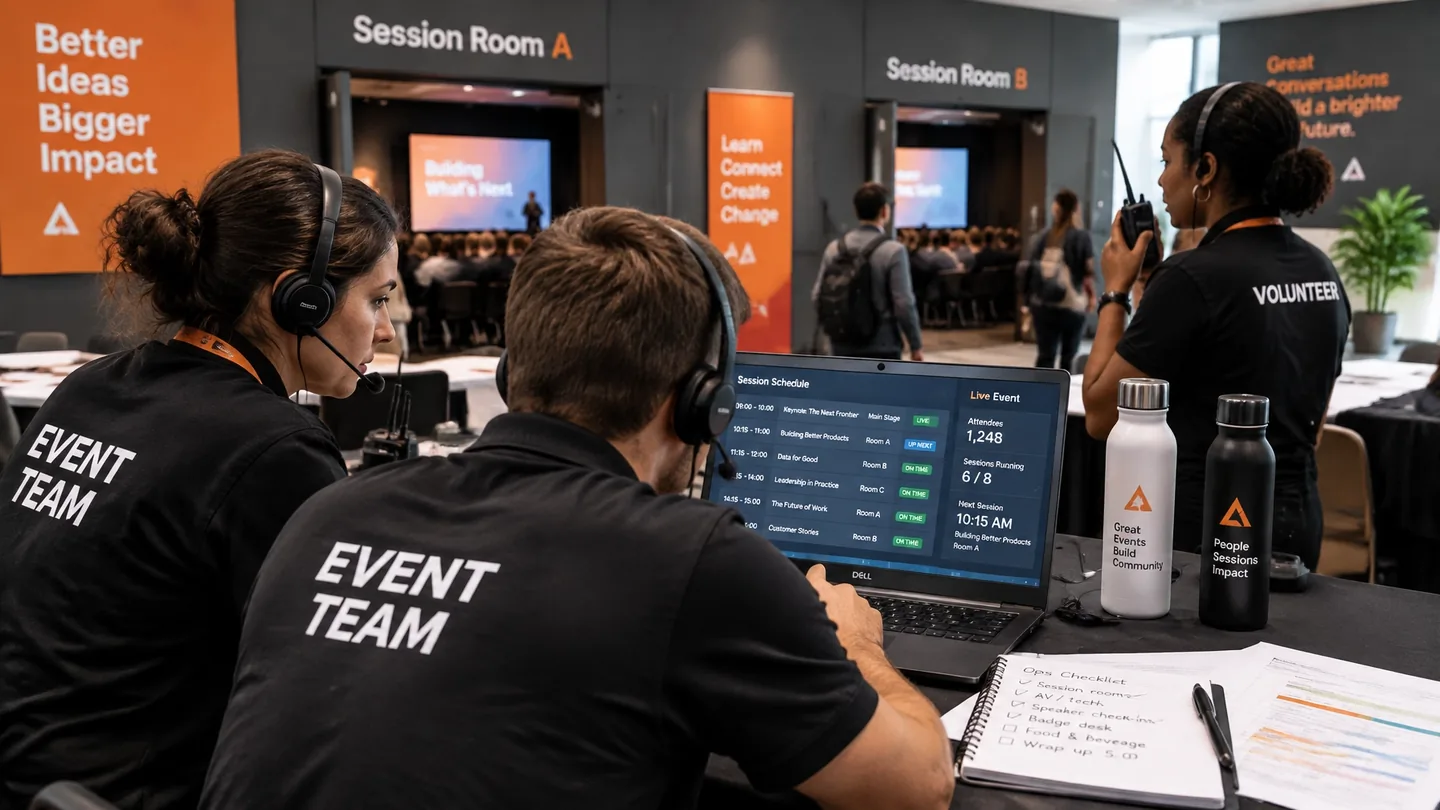
An operations team coordinates schedules and event activity
  • Readiness: Available now

    Event budgets

    Plan event income and expenses with Lite budgeting, or upgrade to Full budgeting for more financial planning tools.

    Lite budgeting is included in all editions. Full budgeting: $500 per event.

  • Readiness: Available now

    Paid and unpaid designations

    Mark items as paid or unpaid as your team records them. A commitment, invoice or request stays separate from a payment your team has verified.

  • Readiness: Available now

    Event wrap and export

    Summarize and export the event from the data actually recorded in the workspace, such as registrations, check-ins and partner delivery.

Compare editions for these tools

08 · Extend the event experience

Optional event store

Offer physical and digital products alongside your event without making a store a requirement for every organizer.

Event staff prepare badges and registration materials together
  • Readiness: Available now

    Physical and digital sales

    The event store is an optional addition for physical and digital sales. Confirm the setup and terms for the products you plan to offer.

  • Readiness: Available now

    A separate revenue-share option

    The optional event store uses revenue sharing. Payment-provider processing fees are separate.

    Store: 5% of sales. Gathersmith platform transaction fee outside the store: 0%.

Compare editions for these tools

09 · Scale with structure

Organizations, access and agencies

Reuse what works across events while keeping each organization and client properly separated.

A facilitator leads a seated group discussion
  • Readiness: Available now

    Reusable organization libraries and templates

    Keep shared libraries and templates at the organization level so every event starts from your standards.

  • Readiness: Available now

    Tenant and event access boundaries

    Each organization is its own private workspace, and team access can be limited by role and by event.

  • Readiness: Available now

    Agency client workspaces

    Agencies can run several clients, each in an independent workspace with its own events, people and settings.

Compare editions for these tools

10 · Connect your existing tools

Integrations and automation

Move event information into the tools your team already uses, with destinations you choose and exports you explicitly enable. Connections stay separate for each organization.

  • Mailchimp
  • Brevo
  • MailerLite
  • HubSpot
  • Zapier
  • Pabbly Connect
  • Google Sheets
  • Google Calendar
  • Outlook
  • Apple Calendar
  • MCP
  • Readiness: Available now

    Webhooks by Zapier

    Send participant changes, registration confirmations and check-in updates to a Zapier Catch Hook. Build your next action in Zapier; webhook acceptance is separate from completion of that action. This is an outbound webhook connection, not a native Zapier directory app or two-way sync.

  • Readiness: Available now

    Pabbly Connect

    Send the same event updates to a Pabbly Connect webhook and build your workflow there. Choose the triggers and whether to include participant email, test the destination, then enable sending.

  • Readiness: Available now

    HubSpot contacts

    Authorize your organization's own HubSpot account and explicitly permit email export to create or update contacts from event participant records, including first name, last name and company. This does not change marketing subscription status or import CRM edits back into Gathersmith.

  • Readiness: Available now

    Google Sheets exports

    Connect your own Google account and export participant snapshots to a dedicated spreadsheet tab for reporting. Include names, roles, registration status and recorded check-in times, with email only when explicitly allowed. Spreadsheet edits do not change event records.

  • Readiness: Available now

    Google, Outlook and Apple calendars

    Add published event dates and sessions to Google Calendar, Outlook or Microsoft 365, or download an ICS file for Apple Calendar and other compatible apps. Public calendar subscriptions let calendar apps request updates on their own refresh schedule; they are not a two-way calendar sync.

  • Readiness: Available now

    Mailchimp, Brevo and MailerLite

    Connect your organization's own marketing account and choose its audience, list or group. Background sync keeps names current for existing subscribers. MailerLite also supports an explicit Add subscriber action with group assignment. Campaign creation, sending, confirmation and unsubscribes remain with your provider; registration never automatically enrolls someone in marketing.

  • Readiness: Available now

    Event notifications

    Keep participants informed with operational messages and notifications, separate from marketing campaigns.

  • Readiness: Available now

    MCP access for connected AI tools

    Connect compatible AI tools for read-only event reporting. Optional MCP access is enabled per event allocation.

Review plans and allocation options

11 · Onsite services

Event services: display screens and badge printing

Bring event information to your screens and badge printing to your check-in desk. Digital displays and event signage services are available now, with optional badge equipment services coming soon.

Screens

Digital event display screens

Turn a browser-connected screen into a lobby board or room sign driven by your live event schedule.

Available now

  • Event-branded schedules. Upcoming and live sessions with your event logo, shown in the screen's time zone.
  • Announcements. Timed announcements you write and order in the workspace.
  • Audience and room versions. A public attendee schedule, or restricted versions for selected audiences, filtered to a single room when needed.
  • Rotating banners. Keep event messages and sponsor artwork in view with banners that rotate on your schedule.
  • Screen management. Manage screen settings, audience versions and refresh intervals from your organizer workspace.
  • Event signage service. An optional equipment service to bring your event schedules, announcements and sponsor messages to venue screens.

Live screens need internet. Offline presentations are snapshots without live updates.

Lanyards

On-demand onsite badge printing

Print lanyard badges at the venue from the same participant records and templates your team maintains.

Available in the software now

  • Saved badge templates. Per-event templates with role colors, fields and QR codes.
  • Printable PDFs. Actual-size PDFs for batches or single participants.
  • CSV for print vendors. Prepare participant badge data for an external print vendor using the existing badge export tools.
  • Staffed badge printing. Print and reprint individual badges at a staffed station, with access limited to permitted team members.

Coming soon

  • Onsite badge-printing service. An optional printer kit with lanyard badge supplies shipped to your venue for event-day check-in.

Badge printing supports your staffed check-in process; event admission is managed separately.

Find setup and printing help →

Badge services

Choose how much help you want at the badge desk

Upcoming service options, from badges ready before doors open to a fully staffed check-in.

Ask about badge services
  • Coming soon

    Pre-printed badges

    Badges printed from your saved templates before the event and delivered ready to hand out, so check-in starts with badges in hand.

  • Coming soon

    Equipment rental, self-managed

    Badge printing equipment and supplies for your venue, run by your own team with the printing tools already in your workspace.

  • Coming soon

    Assisted onsite printing

    Your team runs check-in while a specialist helps set up the printing station and supports it during the event.

  • Coming soon

    Full-service check-in

    A staffed check-in and badge desk managed for you, from setup through the last arrival.

Pilot options

Attendee engagement and gamification, chosen by your team

Use gamification to encourage discovery through challenges and partner stops, and invite participation with feedback and photo sharing. Choose one, several or all five activities for your event. Each stays off until you enable it, with participation from a mobile browser. The Gathersmith native app is coming soon for Android and iOS.

  • Challenge progress

    Give attendees a clear list of activities and stops to explore, with progress they can follow from their phone. Your team reviews completed claims and decides any recognition.

  • Sponsor and exhibitor discovery

    Help attendees discover the partners you select and scan booth codes toward their challenge. Recorded scans are activity evidence, not proof of a conversation.

  • Session feedback

    Keep short surveys alongside their sessions so attendees can respond while the experience is fresh.

  • Display activity invitations

    Invite participation from venue screens with scannable codes and overall activity totals, without publishing names or a leaderboard.

  • Moderated event photo wall

    Review attendee photos before they appear. Participant consent and organizer approval are required; website and display sharing are selected separately, and participants can withdraw their own photos.

These tools are in pilot testing. Confirm pilot access and edition inclusion for your event before purchase.

Ask about engagement options

Use the tools your event needs

Start with the tools that matter for your event. This catalog describes platform capabilities; edition inclusions and optional services vary. Compare editions to find your fit.

See which tools each edition includes →

See the tools in action.

Choose a fictional example and provide your email to follow the demo access steps. Email-link access uses a one-time link. No Gathersmith account required.

Photography on this page is AI-generated illustration. The people and events shown are not real customers or Gathersmith events.