
In this article
Good event registration software for trade shows handles four things well: it registers and checks in attendees quickly, it prints accurate badges onsite, it gives exhibitors a way to capture and retrieve leads, and it keeps every team looking at the same record. Most buying guides rank platforms. This one gives you the criteria instead, so you can evaluate any vendor, including ones that never appear on a list.
What Trade Show Registration Software Actually Needs to Do
A webinar needs a form and a join link. A single-session conference needs a form, a name badge and a room. A trade show needs considerably more, because it has a show floor, a sales motive and several days of people arriving at unpredictable times.
Start With Your Event's Shape, Not a Feature List
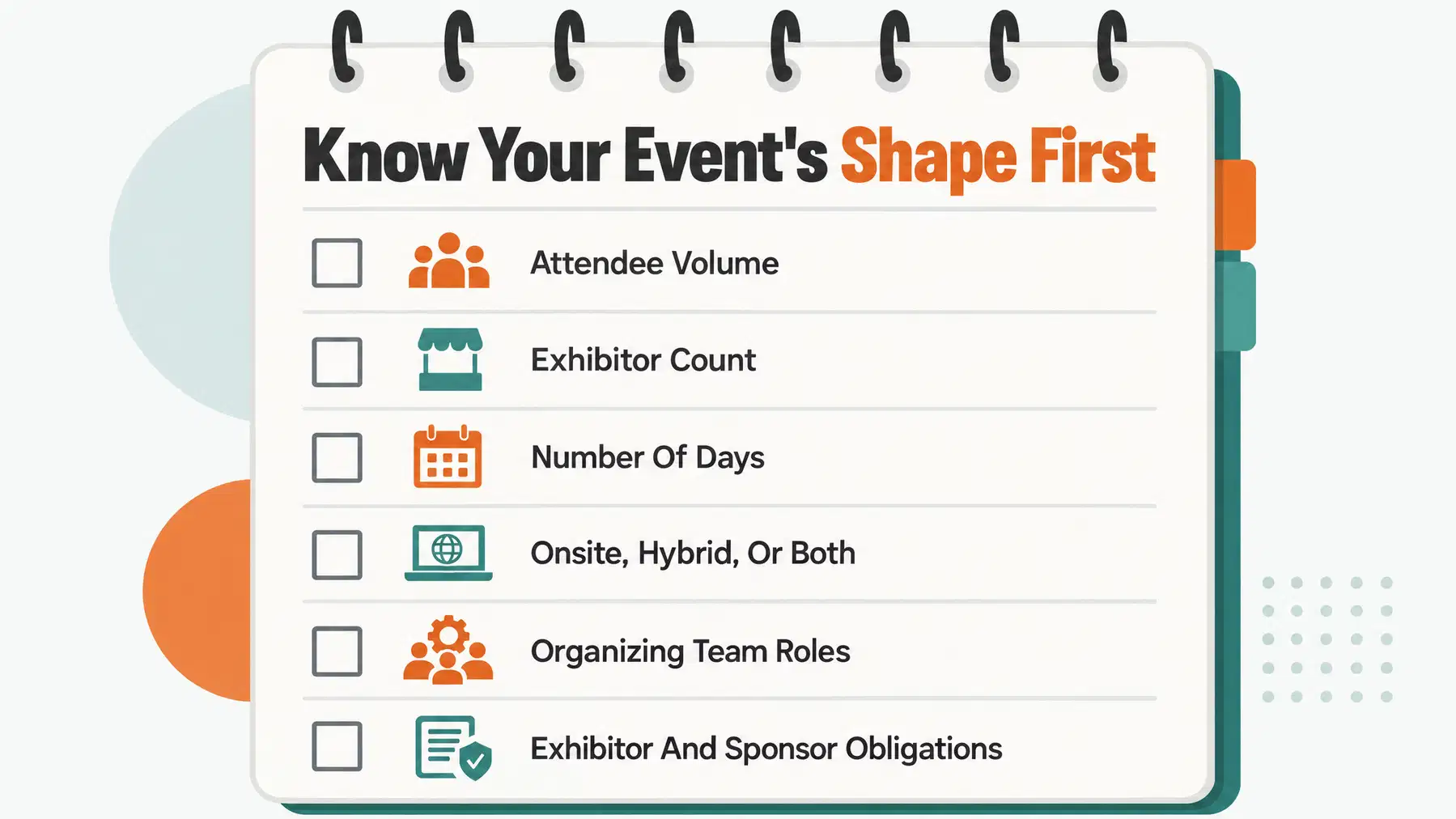
Before you open a single vendor site, write down four numbers and two answers. They decide which features actually matter and which are noise you will pay for and never use.
Attendee volume. Expected registrations, plus a realistic walk-in estimate. Peak arrival rate matters more than the total.
Exhibitor count. How many booths, and how many staff badges each gets.
Days. Single-day shows need one clean check-in. Multi-day shows need repeat scans, reprints and daily reporting.
Onsite, hybrid or both. Hybrid adds session access, streaming links and a second attendee type to track.
Who is on the organizing team? Registration, operations, marketing, sponsorship and volunteers all touch the same data.
What do you owe exhibitors and sponsors? Leads, logo placement, session slots, listings. These are contractual, not optional.
Core Criteria for Event Registration Software for Trade Shows
Here is the framework we would take into a vendor call. The criteria below are the ones that most often decide whether a show floor runs calmly or chaotically, and they are the hardest to retrofit once you have signed.
| Criterion | Why it matters at a trade show | What to ask the vendor |
|---|---|---|
| Badge design and printing | Physical badges gate the floor and identify roles | Which printers are supported today, and how are reprints handled? |
| Exhibitor and sponsor tools | Exhibitors pay for leads and visibility | Is there an exhibitor portal, and what does lead capture produce? |
| Team collaboration | Several teams edit the same event | Can every team see unfinished work in one workspace? |
| Check-in performance | Arrival peaks create queues | How does check-in behave with patchy venue wifi? |
| Integrations | Data has to reach CRM and finance | Which systems sync, in which direction, and how often? |
| Pricing structure | Headline prices hide add-ons | What is included, and what is billed per attendee or per event? |
Badge Design and Onsite Printing
Badge printing software for events is where buying decisions quietly go wrong. Ask to see badge templates you can edit yourself, with role-based variants for attendee, exhibitor, speaker, press and staff, plus QR or barcode support that your scanners can actually read.
Then ask about the unglamorous parts. How does a reprint work when someone loses a badge on day two? Does the old code stay valid? Who is allowed to approve a reprint at the desk?
On hardware, confirm specific models rather than a general promise of compatibility. The Epson CW-C4000 is a common example to name in that conversation.
No platform can change a badge that has already been printed. Lock your badge data and approval rules before the first label leaves the printer.
Exhibitor and Sponsor Tools
This is the clearest difference between trade show registration software and a conference registration platform. At many trade shows, exhibitor participation is central to both the business model and the attendee experience. Exhibitors will judge the event by the connections and opportunities it creates.
Look for an exhibitor portal where booth staff can be added and badged without emailing spreadsheets to your registration team. Look for lead retrieval software trade show exhibitors can use without a training session, and check what the output looks like: a scan record with name, company and contact details, exported in a format their sales team can open.
Team Collaboration and Shared Visibility
Most trade show failures are coordination failures. Registration changes a ticket type, operations does not hear about it, and the badge prints with the wrong floor access. Marketing emails a schedule that the programme team revised yesterday.
So evaluate the workspace, not just the forms. Can registration, operations, marketing and sponsorship all see the same event record, with unfinished work visible rather than buried in someone's inbox? Platforms built around a shared workspace, like the one described on the Gathersmith’s trade-show tools, tend to survive handoffs better than a registration tool surrounded by side spreadsheets.
Check two limits separately when you compare plans. Team users are often counted differently from attendees, and every Gathersmith edition includes unlimited authorized team users. Attendee allowances vary by edition, while each person’s access depends on their assigned permissions. Ask any vendor for both figures, and whether attendee limits are per event or annual.
Integration With CRM and Marketing Tools
Registration data has a life after the show. Sales wants it in the CRM, finance wants the revenue reconciled, and marketing wants to follow up with people who consented to hear from you.
Verify integrations one by one rather than trusting a logo wall. Does registration data sync to Salesforce or your marketing platform directly, through a middleware tool, or only by CSV export? Is the sync one-way or two-way, and how often does it run? Which fields map across, and what happens to custom questions you added to the form?
One point worth raising explicitly on the call: registering for an event does not automatically subscribe someone to marketing email. That is a consent and compliance question, and it needs a separate opt-in. Ask how the platform records consent, and make sure your follow-up lists are built from that record rather than from the whole attendee table. Gathersmith's audience and business tools are built to connect attendees through an opt-in community experience rather than assuming consent by default.
What Happens to Registration Data Once the Show Floor Opens
Almost every buying guide stops at the features list. The harder question is what your data does on show day, when registration, badging and the floor are all running at once.
At the check-in desk, show attendees what to do next and give them a clear confirmation when their pass is accepted.
Ask the same question of reprints and scans. When a badge is reprinted, does the registration record show it was reissued, and by whom? When exhibitors scan visitors at booths, do those scans reconcile back to the central registration record, or sit in a separate app until someone merges files afterwards? A connected workspace between registration and onsite operations removes the duplicate entry, and it is the detail worth probing hardest in a demo.
Pricing Models and Hidden Costs to Watch For
Trade show platforms price in a handful of recognisable ways, and the headline figure rarely tells you the total. Understanding the shape of the model matters more than comparing two numbers.
| Model | Typically suits | Watch for |
|---|---|---|
| Per event licence | One or two shows a year | Cost per show rises fast if you add events |
| Annual subscription | Teams running a recurring programme | Annual attendee caps, not just per-event caps |
| Per registration fee | Variable or ticketed audiences | Whether comps and exhibitor staff count as registrations |
| Percentage of ticket sales | Paid shows with higher ticket prices | Who absorbs the fee, you or the attendee |
| Modular add-ons | Shows that need badging or lead retrieval | Printing, lead retrieval, apps and support billed separately |
Ask for an itemised quote built on your own numbers from the earlier section, not a published tier. Include badge stock and printer rental, lead retrieval licences per exhibitor, onsite staffing if the vendor provides it, payment processing, and any charge for extra team seats. Then compare totals.
Compare the current Gathersmith editions for the latest prices and allowances, and explore event registration for the connected registration workflow.
Free and Low-Cost Options: When They Make Sense
Free and low-cost ticketing tools are genuinely fine for some shows, and it is worth being honest about that. A single-day regional show with a few hundred attendees, ten tables and no lead retrieval programme can run perfectly well on a simple ticketing tool, a laptop and a volunteer with a scanner app.
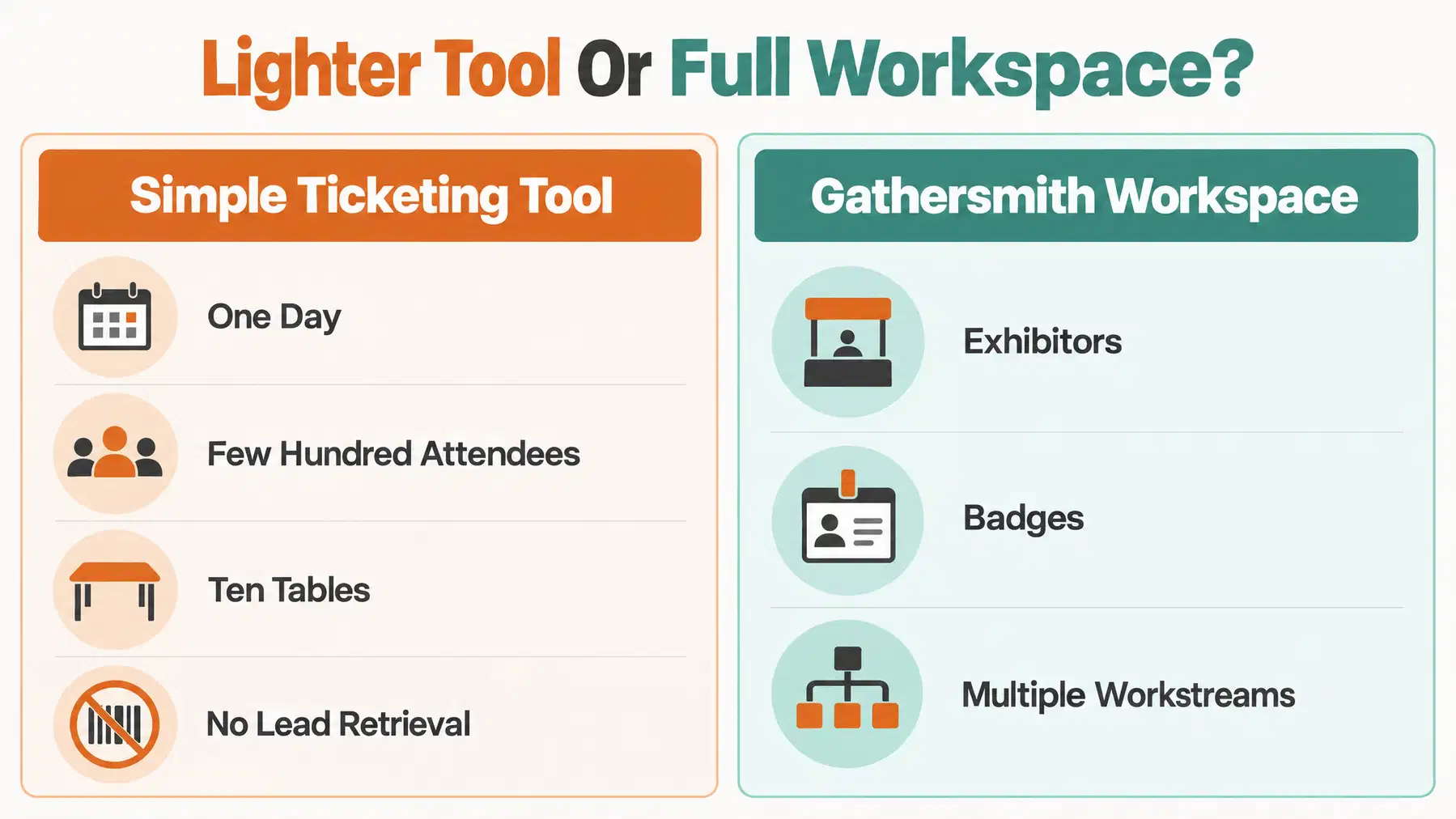
Gathersmith is built for organising teams with exhibitors, badges and multiple workstreams. If your show is one person, one day and one table, a lighter tool is the better fit, and we would rather say so than sell you a workspace you do not need. For a fuller picture of that workspace, visit the Gathersmith’s trade-show tools.
A Practical Checklist Before You Sign
Take this into the demo and ask for answers against your own event numbers, not a generic walkthrough.
Can I edit badge templates myself, with variants by role?
Which printer models are supported today, and is connected printing live or in pilot?
How are reprints logged and approved at the desk?
Is there an exhibitor portal for booth staff badges and lead retrieval?
Are sponsor deliverables tracked where the whole team can see them?
Can a walk-in be registered, badged and admitted in one flow?
Do exhibitor scans reconcile with the central registration record?
How many team users are included, and what is the attendee allowance, per event and per year?
Which CRM and marketing integrations are supported, in which direction?
How is marketing consent captured separately from registration?
Can I see an itemised quote with every add-on named?
Which mobile journeys are supported natively, and what needs a browser?
If a vendor answers those twelve clearly, you can judge the fit regardless of where they sit on anyone's list. To see how a shared workspace approach handles this, explore Gathersmith’s exhibitor management tools for giving each event a public home, connecting attendees through an opt-in community experience, and reporting on what actually happened afterwards, or take a closer look at Gathersmith and tell us about your event.
Frequently asked questions
What is the best platform for event registration?
There is no single best platform, since the right choice depends on attendee volume, exhibitor count, number of days and team size. Use the criteria in this guide to score any vendor against your own event shape.
How much does trade show registration software typically cost?
Pricing usually follows a per-event licence, an annual subscription, a per-registration fee or a percentage of ticket sales, often with modular add-ons like badge printing and lead retrieval billed separately. Ask for an itemised quote based on your real numbers rather than comparing published tiers.
Does event registration software include badge printing?
Some platforms include badge design and printing, others treat it as a paid add-on, and printer support varies. Confirm which hardware is supported today, for example the Epson CW-C4000, whether connected printing is live or still a pilot, and how reprints for lost badges are handled.
What are the key features to look for in trade show registration tools?
Prioritise editable badge templates with role variants, fast check-in that copes with arrival peaks, an exhibitor portal with lead retrieval, sponsor deliverable tracking and shared team visibility, then CRM and finance integrations.
How do you track attendee leads at a trade show?
Exhibitors scan a QR or barcode on the attendee badge, creating a lead record with the contact details the attendee consented to share. Check whether those scans reconcile back to your central registration record or sit in a separate app, and remember a badge scan records a lead-capture interaction; it does not establish a qualified opportunity or sale.
Can event registration software integrate with CRM systems like Salesforce?
Many platforms offer CRM integration, but the mechanism varies between direct sync, middleware and CSV export. Ask whether the connection is one-way or two-way, how often it runs, and which fields map across. Verify each integration individually.
What is the difference between simple ticketing and professional event registration?
Simple ticketing sells admission and checks people in. Professional event registration handles multiple attendee types, role-based badges, exhibitor and sponsor workflows, approvals and reporting across several teams.
Are there free event registration software options for small trade shows?
Yes, free and low-cost ticketing tools can work for small single-day shows with few exhibitors and no onsite printing. They tend to stop being viable once you need printed role-based badges, exhibitor lead retrieval or coordination across several teams.
The Gathersmith team
Written by the people behind Gathersmith. Gathersmith is a collaborative event management platform designed to unify registration, operations, and logistics in one shared workspace.